The floor plan is the start screen
Draw your rooms and tables once, the way they really stand. Every table shows at a glance who is seated, what they owe and whether the kitchen is done.
ServeShift opens on your floor plan. Tap a table, take the order, send it to the kitchen, split the bill — on the counter computer and on your staff’s phones. It keeps working when the internet doesn’t.
macOS and Windows · no card needed for the trial · 12 languages

Service never waits for the internet. Sync and backups catch up when the line is back.
Waiters pair their phone with a QR code and work from the same floor plan.
A QR code on the table opens your menu in the guest’s language.
Draw your rooms and tables once, the way they really stand. Every table shows at a glance who is seated, what they owe and whether the kitchen is done.

Pick dishes from your menu, add a note, send. Tickets print at the right station — kitchen, bar, grill — on ordinary thermal printers.

By amount, by item or in equal shares, with tips and change worked out for you. Every payment lands in the right cash shift.

Pair a phone from the counter with one QR code. Waiters see the same floor plan, open tables and take orders and payments right at the table.


Put a QR code on each table. Guests open your menu in their own language and order; your staff approve before anything goes to the kitchen.


Import your menu from Excel or CSV in any of the supported languages, add translations and allergens, and link recipes to stock so ingredients are deducted as you sell.

Everything runs on the counter computer, so service never depends on a connection. The cloud keeps a backup and your subscription in sync.

Pick the one that suits your room — from quiet system colours to warm paper or high-contrast graphite. Phones follow the same themes.
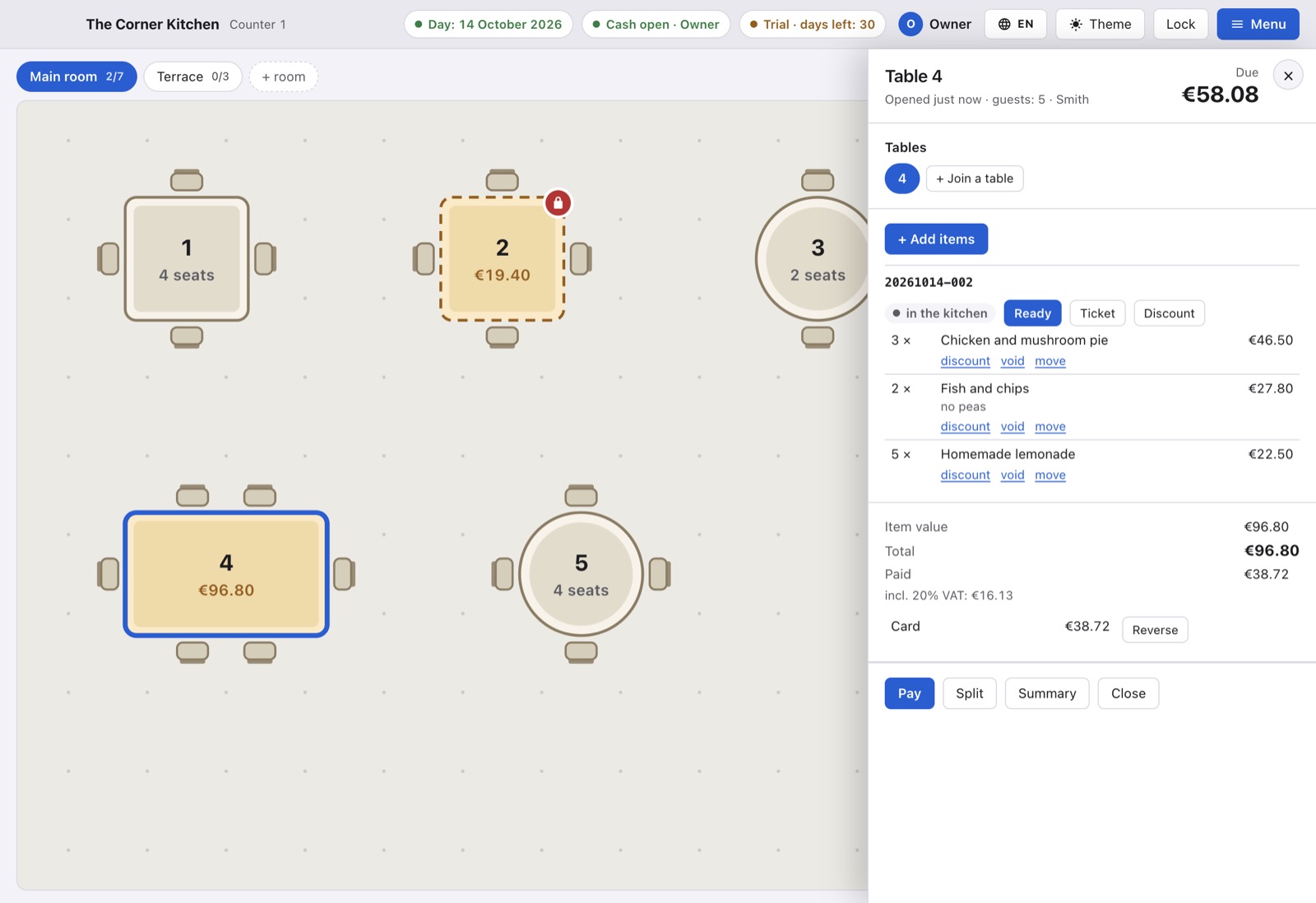
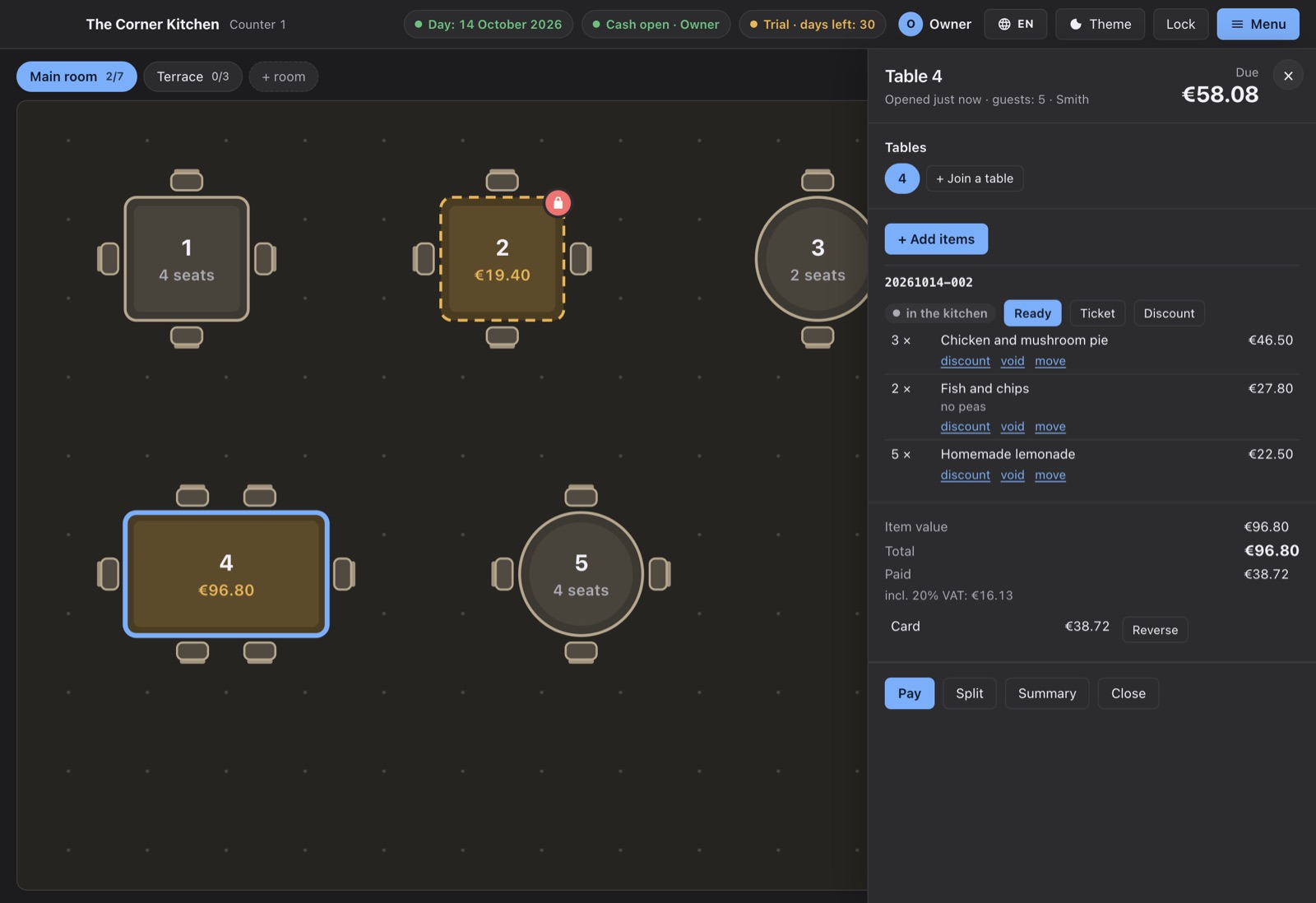
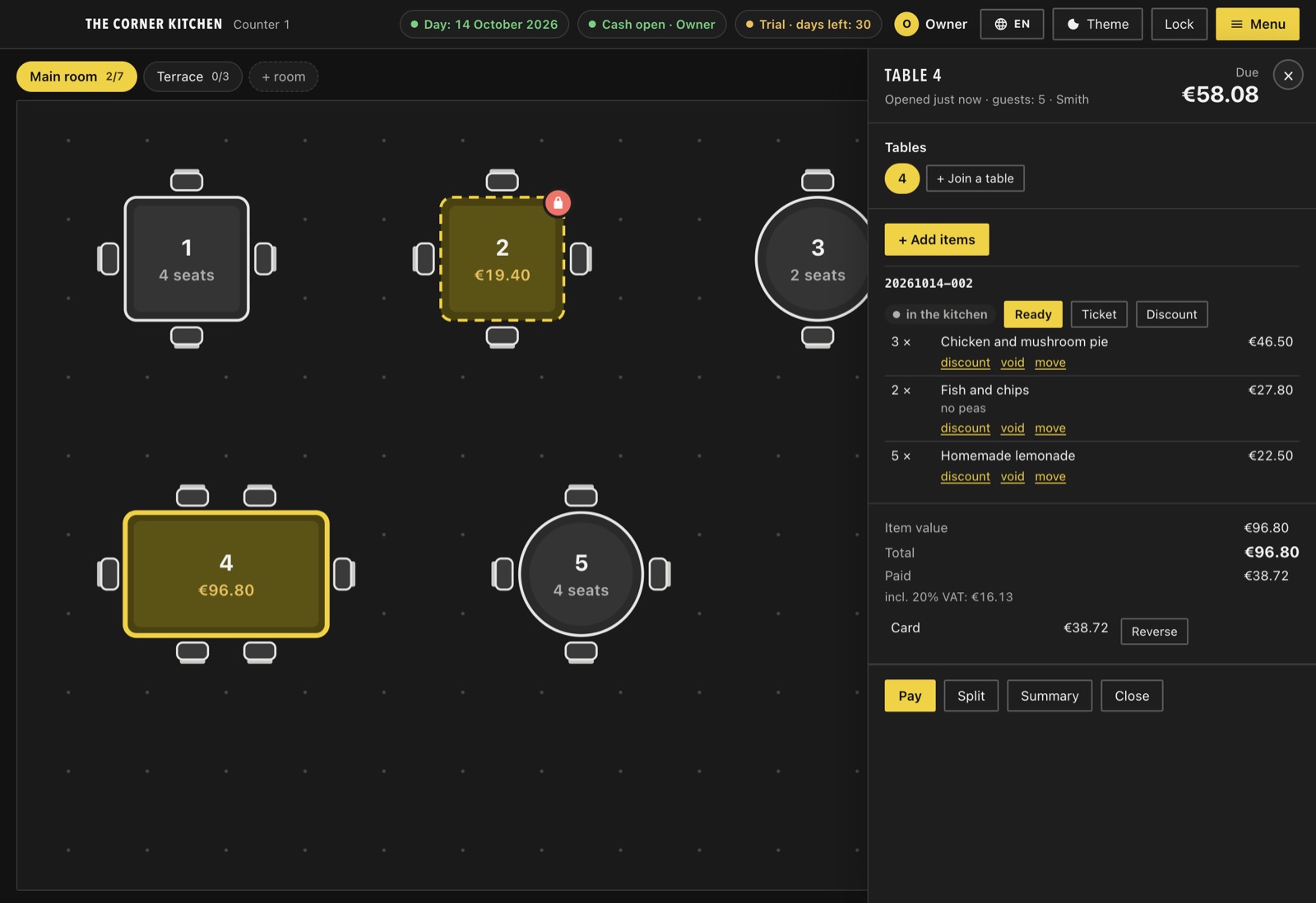
The counter, every phone and the guest page each follow their own user’s language. Printouts and stored notes use your venue’s language.
ServeShift is not a cash register and not invoicing software. The guest printout is an informational consumption summary, marked “not a tax document” at the top and the bottom. Keep recording sales in the till or invoicing system your country requires.
One counter licence, plus a phone for each waiter who works at the same time.
The desktop app on one computer: floor plan, orders, payments, reports, printers, stock, guest ordering and cloud backup.
A staff phone signed in at the same time. Add or remove phones any month.
30-day free trial with everything included and one phone. No card needed to start; nothing renews unless you subscribe. Paying yearly saves 10%. Prices exclude VAT.
Nothing changes at the tables. The counter computer runs the whole service locally, phones connect to it over your Wi-Fi, and backups and sync catch up when the connection returns.
A Mac or Windows computer at the counter. Phones are optional (iPhone or Android). For tickets, any ESC/POS network thermal printer or a printer the computer already knows.
No. ServeShift runs the floor, the orders and the payments, and prints an informational summary for guests. Legally required receipts and invoices still come from your till or invoicing software.
Yes. Each person picks their language on the counter or on their phone; guests see the menu in the languages you offer.
Yes. Import an Excel or CSV file with names, prices, categories, allergens and translations. Column names are recognised in every supported language.
Cancel any time from the Subscription page; the paid period runs to its end. Your data stays on your computer and you can export or back it up.
Install the app, register your venue, and start the free trial whenever you are ready.
The Mac version will be available soon.
macOS 12 or later · Windows 10 or 11 · 4 GB RAM
Waiters install the app and pair it with the counter using its QR code.
iOS 16.4 or later · Android 7.0 or later